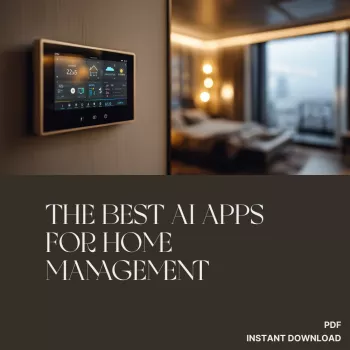
AI-powered home management apps can reduce daily friction by turning routines into automated checklists, timely alerts, and smarter device control. The most useful tools focus on a few high-impact areas—cleaning, security, meal planning, and energy efficiency—while keeping privacy, reliability, and ease of setup front and center. Instead of trying to “AI” everything at once, a practical approach is to pick one problem that shows up every week, fix that with a small set of automations, and only then expand.
Thank you for reading this post, don't forget to subscribe!
🔥 Don’t miss this:
Get our Best-Selling Digital Bundle here 👉 https://guilleni.com
✔ Instant Download
✔ High Value
✔ Limited Time Offer
Not every app that claims to be “smart” is actually helpful day-to-day. The best home management AI apps reduce decisions, prevent missed maintenance, and keep you in control when automation gets it wrong.
Use the table below to match needs to app types before downloading anything. A simple way to avoid app overload is to prioritize one category to start (often energy or security), then expand once the basics are stable.
| Category | What it helps with | Typical features to look for | Good fit for |
|---|---|---|---|
| Cleaning & upkeep | Keeping floors, filters, and supplies on schedule | Room-based scheduling, maintenance reminders, supply tracking | Busy households, pet owners |
| Security & safety | Preventing incidents and improving awareness | Smart alerts, person/package detection, geofencing, event timelines | Families, frequent travelers |
| Meal planning & groceries | Reducing decision fatigue and food waste | Recipe suggestions, pantry tracking, dietary filters, auto-generated shopping lists | Anyone cooking multiple nights/week |
| Energy efficiency | Lowering bills while staying comfortable | Usage insights, automation by time/occupancy, thermostat optimization, alerts for abnormal use | Apartments and homes with smart meters/devices |
| Household coordination | Shared calendars and chores without constant nudges | Task assignments, rotating chore plans, notifications, shared notes | Roommates and families |
Cleaning automation works best when it’s predictable and non-disruptive. Aim for routines that quietly happen in the background—without turning your living room into a surprise obstacle course.
Security AI is most helpful when it reduces noise and adds context. The goal isn’t more notifications—it’s fewer, smarter ones you can act on quickly.
For deeper device security guidance, NIST’s IoT resources are a strong reference point: NIST — Internet of Things (IoT).
AI meal planning pays off when it turns “What’s for dinner?” into a short, repeatable workflow. The best apps don’t just suggest recipes—they translate choices into a shopping list you can actually use.
For thermostat guidance, ENERGY STAR provides a practical overview of smart thermostat benefits and considerations: ENERGY STAR — Smart Thermostats.
For consumer-friendly privacy fundamentals, the FTC’s overview is a helpful baseline: FTC — Protecting Your Privacy Online.
Yes for planning and coordination features like chores, meal planning, reminders, and shared lists. For true automation (thermostats, lights, locks, cameras), you’ll usually need compatible smart devices and the right integrations.
Turn on two-factor authentication, limit shared access, and set activity zones to reduce false alerts. Before adding cameras or doorbells, review data storage options (cloud vs. local) and confirm you can change or delete data later.
Occupancy-based control, schedules, and clear usage insights deliver the biggest practical wins. Abnormal-usage alerts and recommendations that explain the impact are especially valuable for HVAC and other major appliances.